Anime Management System
A comprehensive anime tracking application built with Tauri, React, and TypeScript that helps users discover, track, and manage their anime-watching experience.
Anime Management - Anime Tracking Application
A comprehensive anime tracking application built with Tauri, React, and TypeScript that helps users discover, track, and manage their anime-watching experience.
Features
Anime Discovery
- Home Dashboard: Personalized anime recommendations and popular shows
- Discover Page: Explore new anime with customizable filters and categories
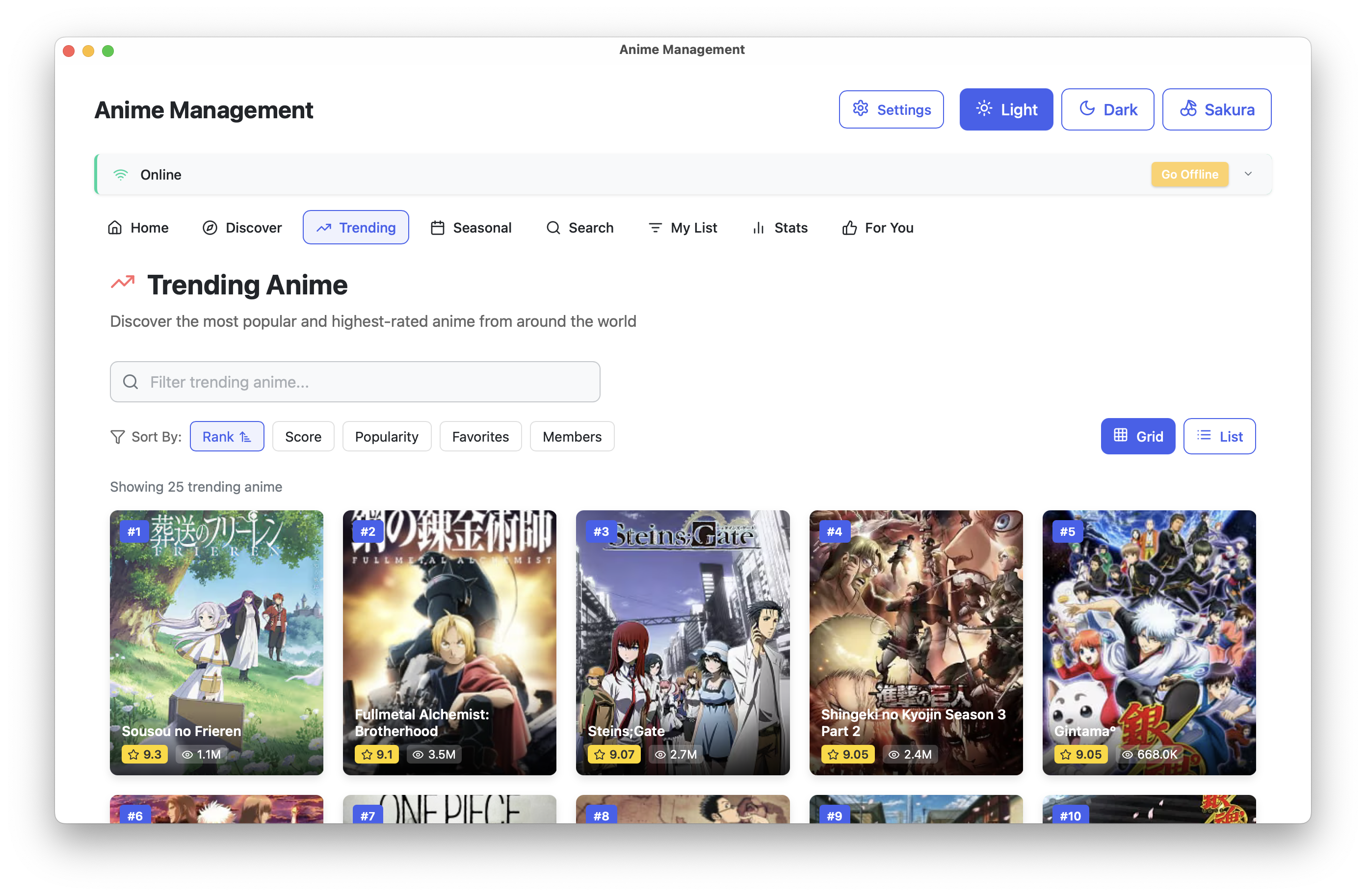
- Trending Anime: Stay updated with what's currently popular in the anime community
- Seasonal Anime: Browse anime by season (Winter, Spring, Summer, Fall)
- Search Functionality: Find anime by title, genre, studio, and more
Detailed Anime Information
- Anime Details: Comprehensive information about each anime including synopsis, episode count, and airing status
- Studio Information: Discover other works by the same animation studios
- Rating & Reviews: View community ratings and feedback
Personal Tracking
- My Anime List: Manage your watched, watching, and plan-to-watch anime
- Statistics Dashboard: Visualize your watching habits and preferences
- Recommendations: Get personalized recommendations based on your watch history
- Scheduling Features:
- Timeline View: Visualize anime broadcasts across a 24-hour period
- Tabs View: Organized by day of the week with easy navigation
- Accordion View: Collapsible day-based sections for compact viewing
User Experience
- Multiple Themes: Choose between Light, Dark, and Sakura themes
- Responsive Design: Optimized for desktop, tablet, and mobile devices
- Offline Support: Continue using the app even without an internet connection
- Error Handling: Robust error boundaries and notifications for a smooth experience
Customization Options
- Settings Page: Customize your experience with various preferences
- Time Format Switching: Toggle between 12-hour and 24-hour time formats
- View Customization: Personalize how you view and interact with anime data
Upcoming Features
Cloud Integration
Store and sync your anime data across devices with your favorite cloud services:
- iCloud
- Dropbox
- OneDrive
- Google Drive
- MEGA.nz
Custom Lists System
- Create multiple personalized anime lists with custom names
- Organize your anime into different categories (favorites, genres, watchlists)
- Apply custom sorting and filtering to each list
- Share specific lists with friends
Anime Tracking Site Integration
Sync your watching data with popular anime tracking platforms:
- MyAnimeList (MAL)
- Anime-Planet
Social Features
- Share your anime lists and recommendations with friends
- Add friends via social media platforms
- Compare watching statistics with friends
- No dedicated backend required - works through existing social media APIs
Getting Started
Prerequisites
Installation
-
Clone the repository:
git clone https://github.com/yourusername/AniTrack.git cd AniTrack -
Install dependencies:
yarn install -
Run the development server:
yarn tauri dev
Building for Production
To create a production build:
yarn tauri build
This will generate platform-specific installers in the src-tauri/target/release/bundle directory.
Automated Builds
This project uses GitHub Actions for automated builds on multiple platforms.
Release Workflow
When pushing a new tag with a version number (e.g., v1.0.0), the GitHub Actions workflow will automatically:
-
Build desktop applications for:
- Windows
- macOS (Universal Binary)
- Linux
-
Build mobile applications for:
- Android (APK)
- iOS (IPA)
-
Create a draft release with all build artifacts attached
For detailed information about the CI/CD process and how to configure the necessary secrets for iOS and Android builds, see the GitHub Workflows README.
Recommended IDE Setup
- VS Code with the following extensions:
Technology Stack
-
Frontend:
- React with TypeScript
- Emotion (styled components) for styling
- Lucide icons for consistent iconography
- React Query for data fetching and caching
-
Backend:
- Tauri (Rust) for cross-platform desktop capabilities
- Local storage for offline support and data persistence
-
State Management:
- React Context API (ThemeProvider, ErrorProvider, OfflineProvider, NotificationProvider)
- React Query for server state
-
Architecture:
- Custom hooks for business logic
- Component-based UI architecture
- Responsive design for all screen sizes
Contributing
Contributions are welcome! Please feel free to submit a Pull Request.
- Fork the project
- Create your feature branch (
git checkout -b feature/amazing-feature) - Commit your changes (
git commit -m 'Add some amazing feature') - Push to the branch (
git push origin feature/amazing-feature) - Open a Pull Request
License
This project is licensed under the MIT License - see the LICENSE file for details.